 Launchie


Accesso immediato
Apri Launchie con Opzione + Spazio o una scorciatoia personale.
Pronto per macOS 26 Tahoe e macOS 27
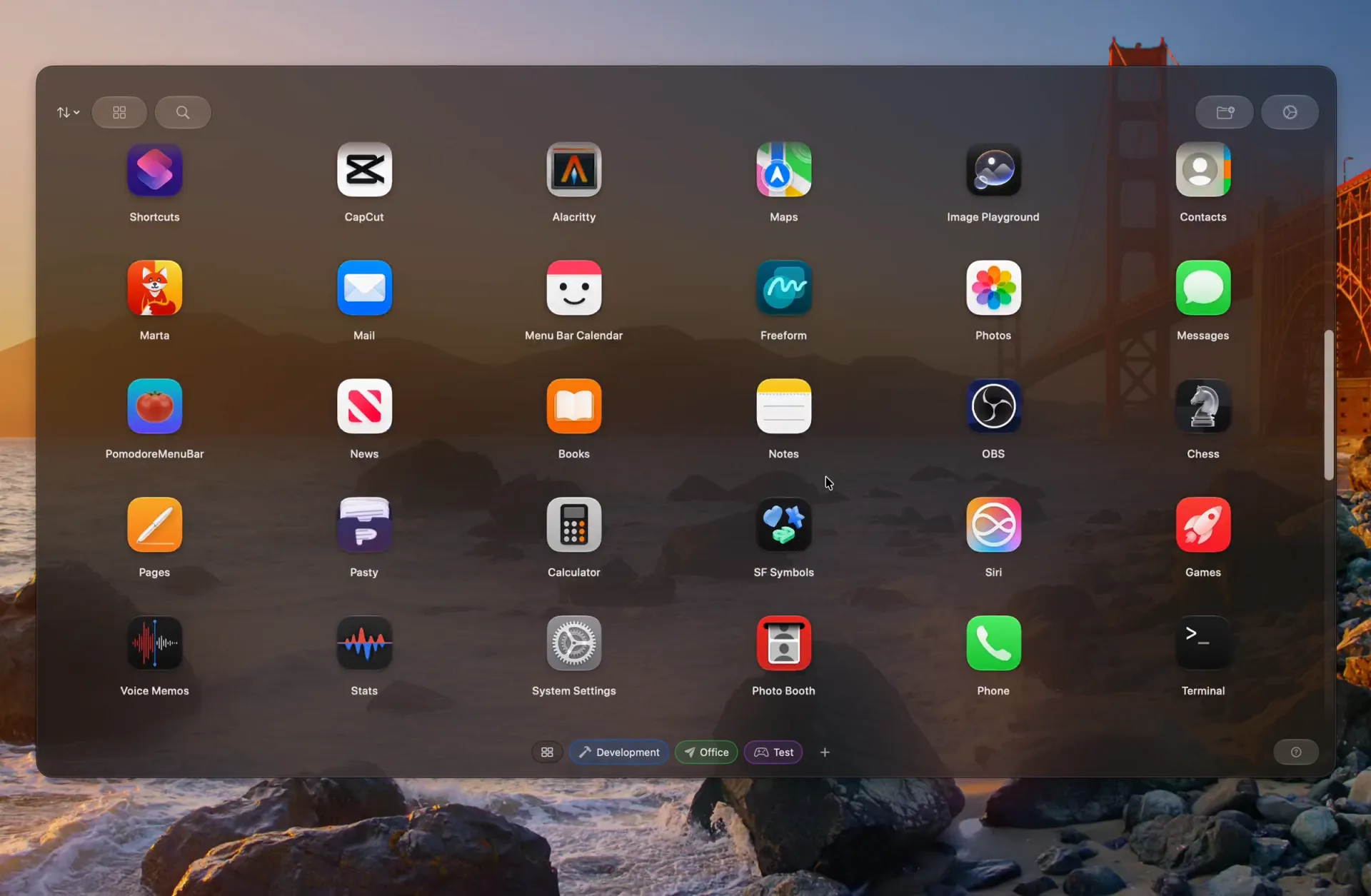
La tua griglia di app, le tue cartelle, il tuo layout: il launcher visivo che macOS 26 ha rimosso.
Dal Mac App Store
Il meglio del Launchpad classico, modernizzato.
Apri Launchie con Opzione + Spazio o una scorciatoia personale.
Trova e avvia qualsiasi app in pochi secondi.
Disponi le app esattamente come preferisci.
Raggruppa le app per progetto o categoria.
Salva la disposizione e ripristinala quando vuoi.
Apri Launchie dall’angolo dello schermo che preferisci.
Mantieni pulita la griglia nascondendo le app inutili.
Tieni a portata di mano app recenti e frequenti.
Adatta disposizione, aspetto e comportamento.
Importa gratuitamente la disposizione dal Launchpad originale, da LaunchNext o da LaunchOS. Apri la guida introduttiva o Impostazioni → Backup in Launchie.
Il Launchpad originale insieme a quattro alternative. Scegli in base al tuo Mac e al tuo modo di lavorare.
Scorri per confrontare tutti e cinque i launcher.
| Confronta i launcher, ieri e oggi | Launchie | LaunchOS | AppGrid | LaunchNext | Launchpad originale (macOS 15 e precedenti) |
|---|---|---|---|---|---|
| Disposizione | Griglia scorrevole o elenco, con pagine chiamate Spazi | Pagine; scorrimento con Pro | Pagine | Pagine | Pagine |
| Cartelle | Illimitate, gratis | Sì | Gratis | Gratis | Sì |
| Spazi di lavoro separati | Sì, Spazi | Non pubblicizzato | Non pubblicizzato | Non pubblicizzato | No |
| App recenti e frequenti | App recenti, frequenti e nuove | Non pubblicizzato | Non pubblicizzato | Non pubblicizzato | No |
| Importare la vecchia disposizione Launchpad | Gratis | Sì | Gratis | Gratis | È già la tua disposizione |
| Disponibile tramite | App Store, download diretto, Homebrew | Download diretto | App Store e download diretto | Download diretto e Homebrew | Integrato in macOS |
| Gratis e Pro | Gratis; Pro facoltativo | Gratis; prova Pro di 7 giorni | Gratis; Pro facoltativo | Gratis, open source | Incluso con macOS |
| Compatibilità macOS | macOS 26+ | macOS 26+ | macOS 14.6+ | macOS 26+ | macOS 10.7–15 |
Il Launchpad originale era incluso fino a macOS 15. macOS 26 lo ha sostituito con la vista App.
Informazioni sulle altre app verificate il 1 ott 2026. Alcune funzioni richiedono Pro o la versione diretta; consulta prezzi e piani nel confronto completo. LaunchOS· AppGrid· LaunchNext· Apple
LaunchOS e AppGrid in dettaglio (in inglese) →LaunchNext in dettaglio (in inglese) →
Un breve tour di Launchie 1.6.1 su macOS 27 e macOS 26.
Video dimostrativo di Launchie
Questo video è ospitato da YouTube. Accetta i cookie facoltativi per caricarlo.
Questi articoli sono disponibili in inglese.
Scopri cosa è cambiato e come riavere un launcher visivo.
Confronta launcher visivi e strumenti da tastiera.
Navigazione visiva, cartelle e organizzazione per macOS 27.
Due approcci per esigenze diverse.
Navigazione visiva e memoria spaziale sono ancora utili.
Scarica Launchie e riporta sul Mac il launcher che manca a macOS 26.

oppure installa con Homebrew
brew install --cask launchieRichiede macOS 26 Tahoe · Tutte le opzioni di installazione
Newsletter
Ricevi note di versione, guide e consigli pratici.