 Launchie
macOS Tahoe Launchpad Fix
Bring Back Launchpad on macOS Tahoe
Launchie is a macOS 26 Tahoe Launchpad replacement that brings back the familiar fullscreen app launcher experience with folders, search, visual browsing, and drag-and-drop organization.
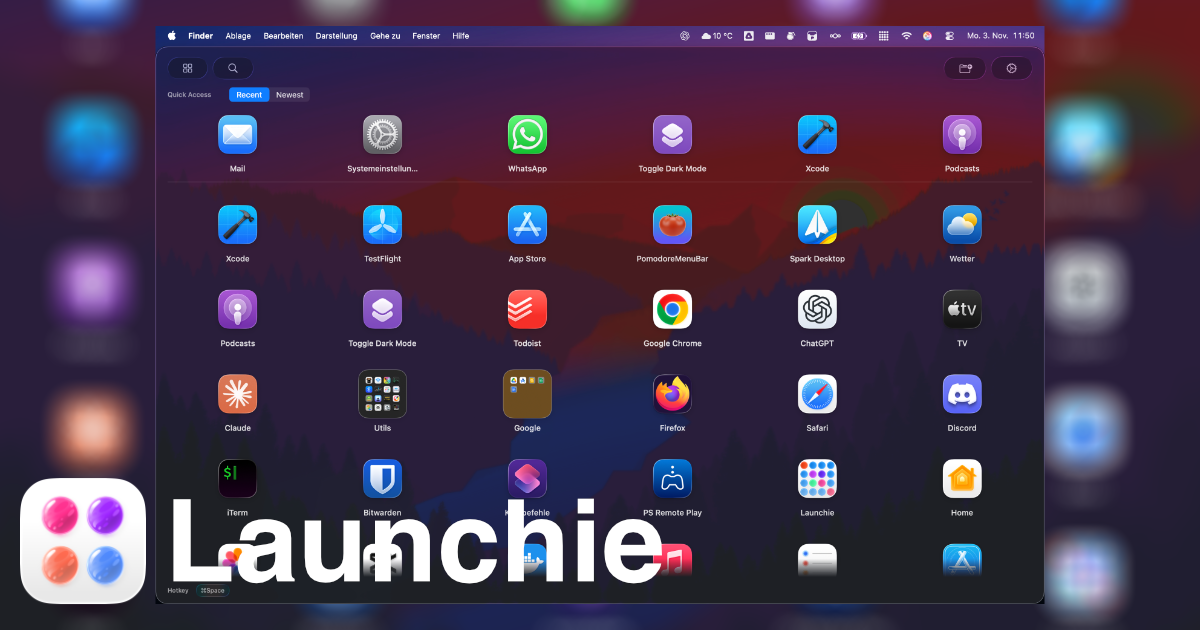
Apple Removed the Classic Launchpad Workflow in macOS Tahoe
For years, Launchpad was one of the easiest ways to browse apps on Mac. It felt familiar, visual, and simple, especially for users coming from iPhone and iPad.
With macOS Tahoe, Apple changed the app launching experience dramatically. Many users discovered that the classic Launchpad workflow was gone or replaced by a different Apps interface.
If you miss the old Launchpad experience, you are not alone.
Why Users Miss Launchpad
Launchpad was not just an app launcher. People liked it because it offered:
- A fullscreen overview of installed apps
- Visual organization with folders
- Mouse-first navigation
- A clean home screen feeling
- Familiar iPad-style interaction
For many users, Spotlight and keyboard launchers like Raycast or Alfred are not replacements. They solve different problems.
A Better macOS 26 Launchpad Replacement
Launchie brings back the visual app launcher experience for macOS. With Launchie, you can:
- Browse apps in a fullscreen grid
- Organize apps into folders
- Search instantly
- Customize icon sizes and layout
- Open Launchie with a hotkey
- Use a familiar visual workflow again
Why Launchie Is Different
Most Mac launchers focus on keyboard workflows. Launchie focuses on visual navigation, mouse-friendly interaction, familiarity, simplicity, and macOS-native design.
It is designed for users who simply want Launchpad back.
Frequently Asked Questions
Did Apple remove Launchpad in macOS 26 Tahoe?
Apple replaced the old Launchpad workflow with a new Apps interface in macOS 26 Tahoe, which removed parts of the classic visual app grid experience many users relied on.
Can I restore the old Launchpad on macOS Tahoe?
Not officially through macOS settings. A third-party Launchpad replacement like Launchie can recreate the visual app launcher workflow.
What is the best macOS 26 Launchpad replacement?
If you want the familiar visual app grid rather than a keyboard-only launcher, Launchie is built specifically as a macOS 26 Tahoe Launchpad replacement.
Does Launchie support folders?
Yes. You can organize apps into folders similar to Launchpad.
Try Launchie
If you miss Launchpad on macOS Tahoe, Launchie is the easiest way to get the experience back.