Keep your layout when you switch: Launchie can import your folders and app order from LaunchNext for free. Open the Getting Started guide or Settings → Backup. Importing replaces your current Launchie layout, so import first, then fine-tune. See the import guide.
LaunchNext is a free, open-source launcher built on LaunchNow. Launchie offers a scrolling app grid, Spaces and a Mac App Store version, with an optional Pro upgrade. Both are alternatives for macOS 26 and newer; the main choice is which browsing style and distribution you prefer.
Pages or a Scrolling Grid
LaunchNext recreates the classic Launchpad interface with pages and folders. Its current documentation also describes paged or vertically scrolling folder contents, fuzzy search, keyboard navigation, and controller support. LaunchNext documentation
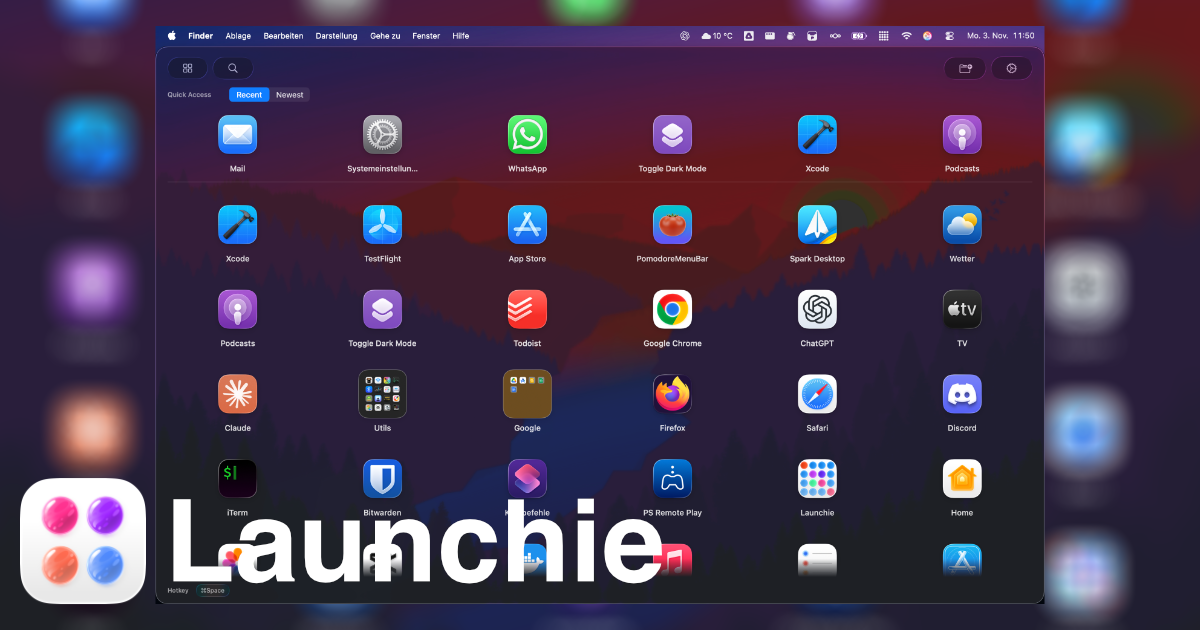
Launchie uses a vertically scrolling grid or a list. Spaces separate your apps into workspaces, and Quick Access surfaces recent, frequent or newly installed apps. Folders are unlimited in the free version.
Installation and Updates
LaunchNext is available from GitHub and through its Homebrew tap. Releases starting with 2.4.2 are signed and notarized by Apple, according to the developer; the project’s earlier unsigned builds should not be used to describe its current installation. LaunchNext README
Launchie is available on the Mac App Store, as a notarized direct download, and through Homebrew. The App Store version uses Apple’s installation and update flow.
Organization and Backups
LaunchNext now supports layout backups and context-menu actions. Earlier versions of this article said those were missing; that comparison no longer applies. See its current feature documentation.
Launchie Pro includes backup and restore, appearance customization and hiding apps. Its separate Spaces and Quick Access row help organize a large library without putting everything on one page.
At a Glance
| Feature |
LaunchNext |
Launchie |
| Layout |
Classic pages |
Scrolling grid or list |
| Folders |
Yes, free |
Unlimited, free |
| Old Launchpad import |
Yes, free |
Yes, free |
| Separate workspaces |
Not advertised |
Spaces |
| Recent, frequent and new apps |
Not advertised as a Quick Access row |
Quick Access row |
| Distribution |
GitHub and Homebrew tap |
App Store, direct download and Homebrew |
| Signed and notarized |
Since 2.4.2 |
Yes |
| Layout backup |
Yes |
Pro |
| Pricing |
Free, open source |
Free; optional Pro |
| macOS support |
macOS 26+ |
macOS 26+ |
Choose LaunchNext if you want free, open-source software with classic pages. Choose Launchie if you prefer a scrolling grid, separate Spaces, Quick Access or installation through the Mac App Store.
Competitor details checked October 1, 2026 against the project’s README and documentation.
 Launchie