Short answer: Launchpad is gone. Apple removed it in macOS 26 Tahoe and replaced it with a view called Apps, which lives inside Spotlight. macOS 27 Golden Gate, released on September 14, 2026, keeps Apps and does not bring Launchpad back.
Nothing is broken on your Mac, and you did not delete it by accident. If your Mac runs macOS 26 or later, there is no Launchpad to find.
Below: what Launchpad was, how to open its replacement, and how to get the old full-screen grid with folders back.
What Was Launchpad on Mac?
Launchpad was the full-screen grid of app icons that shipped with every Mac from OS X Lion in 2011 through macOS 15 Sequoia. It looked like an iPhone home screen:
- Every app appeared as an icon in a grid, across swipeable pages
- You could drag icons into any order you liked
- Dropping one app onto another created a folder
- It opened with the Launchpad key (F4), a pinch on the trackpad, or its rocket icon in the Dock
Many people used it as their main way to open apps, which is why its removal caught so many off guard. For the full story of what it did and how it worked, see What Is Launchpad on Mac?
Which macOS Am I Running?
Open the Apple menu in the top-left corner and choose About This Mac.
- macOS 15 Sequoia or earlier: Launchpad is still there. Look for the rocket icon in the Dock or in your Applications folder.
- macOS 26 Tahoe or macOS 27 Golden Gate: Launchpad has been replaced by Apps.
Bought a new Mac? New Macs ship with a current version of macOS, so they have never had Launchpad. That is why so many people search for it right after unboxing.
How to Open Apps, Launchpad’s Replacement
Apple kept most of the old shortcuts. They now open Apps instead of Launchpad:
| Old Launchpad shortcut |
What it does now |
| F4 (the Launchpad key) |
Opens Apps inside Spotlight |
| Three-finger pinch on the trackpad |
Opens Apps |
| Apps icon in the Dock |
Opens Apps where the Launchpad icon used to be |
Two new ways to get there:
- Press Fn-Shift-A
- Press Command-Space to open Spotlight, then Command-1 for the Applications section
Apps shows a list by default. To see icons instead, click the More button (the circle with three dots) at the top right and switch to Grid.
Why Apps Doesn’t Feel Like Launchpad
Apps is a good search tool, but it was built for a different job. Launchpad was a place you arranged yourself; Apps is a view the system arranges for you:
- You can’t put apps in your own order. Apple sorts them.
- You can’t make your own folders. Apps groups them into system categories instead.
- It lives inside Spotlight, not as a full-screen home screen you browse.
If you mostly type an app’s name to open it, you may not miss Launchpad at all. If you relied on remembering where an app lived on the screen, Apps will feel like a step back.
Can You Restore the Original Launchpad?
No. There is no setting in macOS 26 or macOS 27 that brings the original Launchpad back, and macOS 27 did not reverse the change.
What you can do is install an app that recreates the Launchpad workflow.
How to Get a Launchpad-Style Grid Back
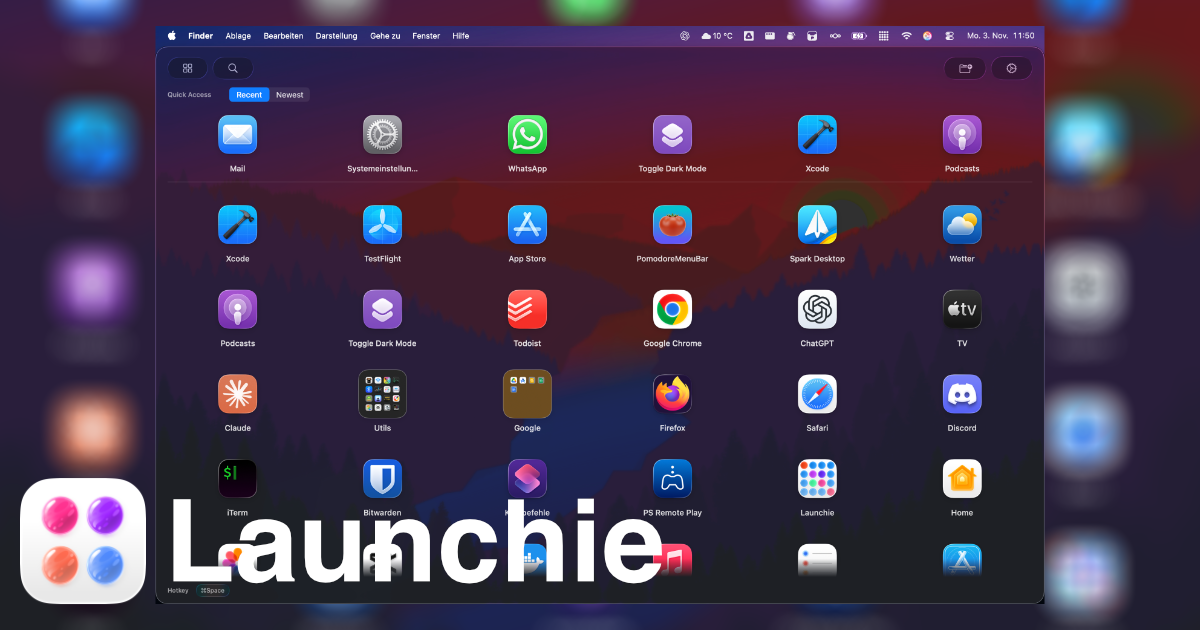
Launchie is a Launchpad replacement built for macOS 26 Tahoe and macOS 27 Golden Gate. It brings back what Apps took away:
- A full-screen app grid, or a window if you prefer
- Your own arrangement: drag apps into any order
- Real folders: drop one app onto another
- Spaces for separate layouts, such as work and personal
- Fast search when you do want to type
- A global shortcut (Option-Space by default), plus hot corners and a Dock icon
People have been running Launchie on the macOS 27 betas since the first developer beta in June.
Install Launchie
Pick whichever way you normally install Mac apps:
- Mac App Store: search for “Launchie” or use the link on launchie.app
- Direct download: from launchie.app
- Homebrew: run this in Terminal:
brew install --cask launchie
On first launch, Launchie finds your apps and lays them out in a grid. From there, drag them into the order you want and build your folders. The keyboard shortcuts guide covers the rest.
Frequently Asked Questions
Where is Launchpad on a MacBook?
On a MacBook running macOS 26 Tahoe or later, Launchpad has been replaced by Apps. Press F4, pinch with three fingers on the trackpad, or click the Apps icon in the Dock to open it.
Did Apple remove Launchpad?
Yes. Apple removed Launchpad in macOS 26 Tahoe in September 2025 and replaced it with Apps, a view inside Spotlight.
Is Launchpad back in macOS 27?
No. macOS 27 Golden Gate keeps the Apps view from macOS 26. The classic Launchpad grid with custom arrangement and folders has not returned.
Why did my Launchpad icon disappear from the Dock?
Updating to macOS 26 or later replaces the Launchpad icon with the Apps icon. The rocket icon is gone because Launchpad itself is gone.
How do I get Launchpad back on my Mac?
macOS has no setting to restore it. To get a Launchpad-style grid with your own layout and folders, install a replacement such as Launchie.
Related Articles
 Launchie