macOS 27 Launchpad: Still Gone in Golden Gate
macOS 27 Golden Gate was released to the public on September 14, 2026, as the next major Mac update after macOS 26 Tahoe. The headlines focus on Siri AI, Apple Intelligence, Liquid Glass refinements, performance improvements, and the move to Apple silicon-only support.
But for many Mac users, there is a simpler question: does macOS 27 Golden Gate bring back Launchpad, or do you still need a macOS 27 Launchpad replacement?
The answer is no. macOS 27 keeps the Apps view that replaced Launchpad in macOS 26 Tahoe. The classic full-screen grid, with your own arrangement and folders, has not returned.
If you just upgraded and can’t find Launchpad, see Where Is Launchpad on Mac? for how to open Apps.
What macOS 27 Golden Gate Changes
macOS 27 Golden Gate is a broad system update. The biggest areas Apple is promoting include:
- Siri AI and more capable Spotlight-style assistance
- Visual Intelligence on Mac
- Apple Intelligence improvements across apps
- Refined Liquid Glass design
- Performance and search indexing improvements
- Apple silicon-only compatibility
Those changes matter, especially if Spotlight and Siri become better at finding apps, files, and actions. But better search is not the same thing as bringing back the old visual Launchpad workflow.
Why This Matters for Launchpad Users
The classic Launchpad was not popular because it was the fastest way to type an app name. It was popular because it gave Mac users a visual home screen:
- Apps were visible in a familiar grid
- Folders made spatial organization simple
- Drag and drop supported muscle memory
- Mouse and trackpad users did not need a command palette
- The experience felt familiar to iPhone and iPad users
If macOS 27 Golden Gate mainly improves Spotlight, Siri, and system search, it may help keyboard-first users. It still does not fully replace the visual app launcher workflow people lost or disliked after Tahoe.
Does macOS 27 Golden Gate Restore Launchpad?
No. Golden Gate does not return to the old Launchpad. The Mac is moving further toward AI-assisted search, smarter Spotlight results, and systemwide suggestions.
That direction can be useful. It also means that if you miss Launchpad, updating to Golden Gate will not solve the problem by itself.
If you want a visual app grid with folders and custom organization, you still need a dedicated macOS 27 Launchpad replacement.
Best Launchpad Replacement for macOS 27 Golden Gate
The best macOS 27 Launchpad replacement depends on how you launch apps. If you mostly type app names, Apple’s improved Spotlight and Siri AI may be enough. If you want the old Launchpad-style visual app grid, you need a launcher built around browsing, folders, and layout memory.
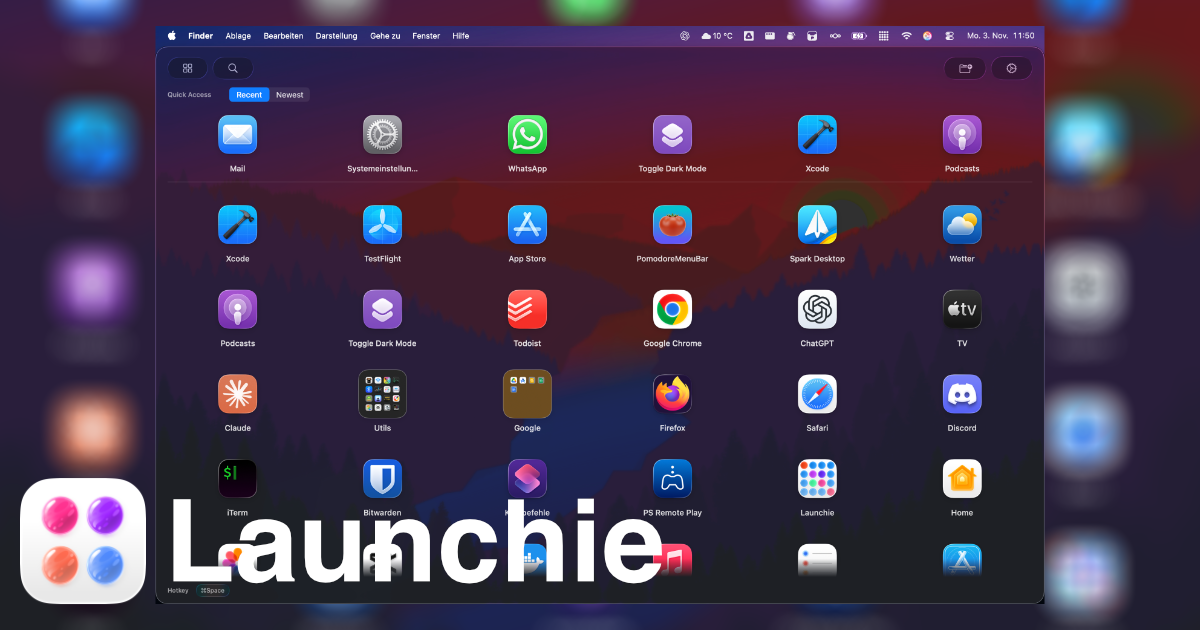
That is the gap Launchie is designed to fill. Our macOS 27 Golden Gate Launchpad replacement guide shows how the visual workflow fits alongside Apple’s new search and AI tools.
Where Launchie Fits
Launchie is built for people who want the Launchpad-style workflow back, without waiting for Apple to reverse course.
Launchie focuses on:
- Visual app browsing
- Folder organization
- Drag-and-drop app arrangement
- Fast search when you need it
- Flexible grid and layout options
- A Mac-native launcher experience
That makes Launchie complementary to macOS 27 Golden Gate. Use Golden Gate’s improved Spotlight and Siri for AI-assisted search, and use Launchie when you want to browse and organize apps visually.
macOS 27 Golden Gate and Intel Macs
Golden Gate is also important because Apple is moving macOS further into the Apple silicon era. If you are still on an Intel Mac, macOS 26 Tahoe is the last major release for that hardware generation.
For Launchie users, the practical takeaway is simple: Golden Gate needs an Apple silicon Mac. If your Mac stays on Tahoe, Launchie keeps working there.
Upgrading to macOS 27 with Launchie Installed
A few practical steps if Launchie is already set up on your Mac:
- Back up your layout first. Launchie can export your layout, folders, Spaces, and hidden apps to a file. See Backup and Restore.
- Update macOS, then open Launchie as usual with your shortcut.
- Grant folder access again if macOS asks. Major updates can reset permissions for the Applications folder.
- Check any extra app folders. If you index apps outside the Applications folder, confirm they still appear. See App Directories.
People have been running Launchie on the macOS 27 betas since the first developer beta in June.
Frequently Asked Questions
What is macOS 27 Golden Gate?
macOS 27 Golden Gate is the major Mac operating system release after macOS 26 Tahoe, released on September 14, 2026. It brings Siri AI, Apple Intelligence improvements, Liquid Glass refinements, performance updates, and Apple silicon-only compatibility.
Does macOS 27 Golden Gate bring back Launchpad?
No. Golden Gate keeps the Apps view introduced in macOS 26 Tahoe. The update focuses on AI-assisted search, Spotlight, Siri, design refinements, and system performance.
Does macOS 27 have Launchpad?
No. macOS 27 Golden Gate launches apps through Apps and Spotlight. The old Launchpad grid with your own folders and arrangement is not part of it.
What is the best Launchpad replacement for macOS 27?
If you want a visual app launcher for macOS 27 Golden Gate, Launchie is built around the Launchpad-style workflow: app browsing, folders, drag-and-drop organization, and fast search.
Did Apple bring back Launchpad in macOS 27?
No. Golden Gate improves search, Siri, and system performance rather than restoring the old Launchpad interface.
Do I still need a Launchpad replacement on macOS 27?
If you want visual app browsing, folders, drag-and-drop organization, and a Launchpad-style grid, a dedicated replacement like Launchie is still the clearest option.
Is Launchie compatible with macOS 27 Golden Gate?
Launchie is built for modern macOS and Apple silicon Macs, and people have been running it on the macOS 27 betas since June. Back up your layout before any major macOS update.
 Launchie