Launchie vs LaunchOS: Which macOS Tahoe Launchpad Replacement Fits Better?
LaunchOS has built its pitch around one core idea: bring back the classic Launchpad feeling on macOS 26 Tahoe with a near-native visual style. That appeal is real. If you mainly want something that looks and feels as close as possible to Apple’s old launcher, LaunchOS is an obvious option to consider.
But resemblance is only part of the story. Launchie takes a broader view of what people actually need after Apple changed Launchpad: faster cleanup, more flexible layouts, better recovery tools, and a launcher that adapts to large app libraries instead of freezing them in a page-based grid. That makes Launchie the stronger everyday choice for most Mac users.
Setup and First Impressions
LaunchOS clearly aims to feel familiar from the first launch. Its public positioning emphasizes a native-style experience, keyboard navigation, type-to-jump search, and a layout that adapts to different screen sizes. Recent release notes also show steady iteration around gestures, app scanning, and page behavior.
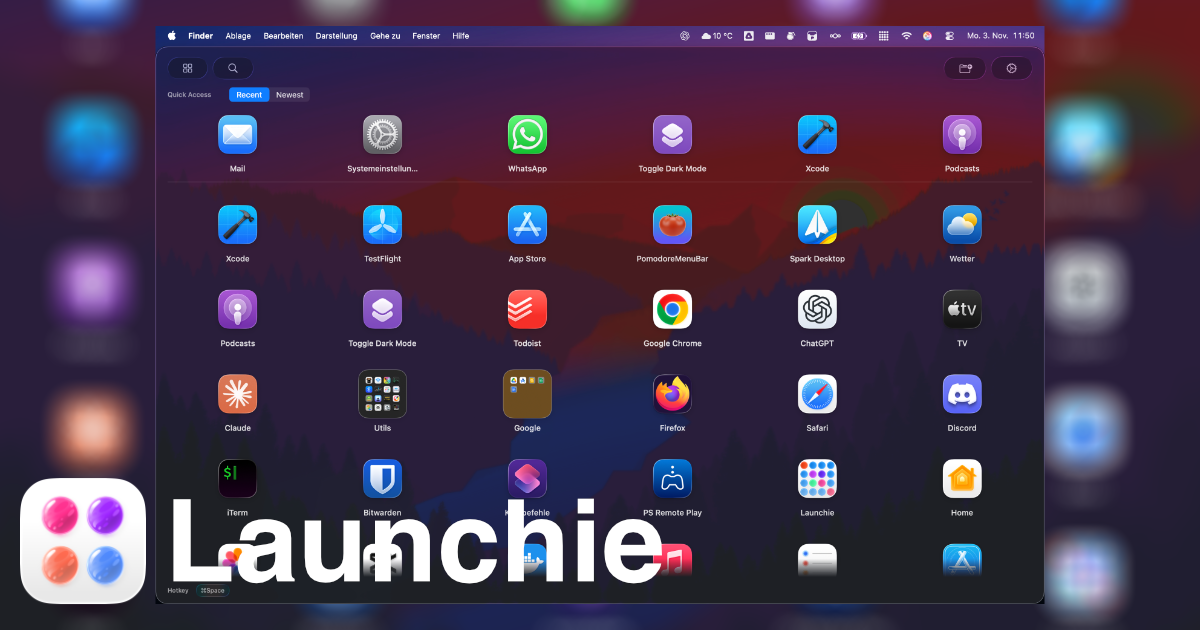
Launchie starts from a different premise. Instead of trying to recreate the old Launchpad screen exactly, it keeps the parts people actually miss, like folders, visual scanning, and direct app launching, then adds a more modern interface built for current macOS workflows.
That difference matters:
- LaunchOS is strongest when you want a classic Launchpad look with incremental enhancements.
- Launchie is strongest when you want a launcher that feels familiar but is easier to manage long term.
Organization and Workflow
LaunchOS has expanded significantly since launch. Its release history shows support for custom sorting, hidden apps, custom app names, custom app sources, folder keyboard selection, Launchpad data import, and layout backup. That is a respectable feature set, especially for users who want a page-oriented launcher with more control than Apple now offers.
Launchie still has the workflow advantage because the core interaction model is less rigid:
- Grid and list layouts let you choose between Launchpad-style browsing and denser scanning.
- Context menu actions make it easier to move, rename, or hide apps without relying on long press editing flows.
- Quick-access filtering helps surface recent, frequent, or newly added apps without reorganizing your entire library.
- Folders and custom ordering are designed for ongoing maintenance, not just first-time setup.
If your Applications folder keeps growing, Launchie asks for less manual effort to stay tidy.
Customization and Activation
LaunchOS is no longer just a visual clone. Its release notes indicate support for configurable rows and columns, custom backgrounds, custom icons, hot corners, trackpad gesture triggering, mouse side-button paging, and options around page return behavior. For users who enjoy tuning a Launchpad-like environment, that depth is attractive.
Launchie approaches customization with a stronger productivity bias:
- Theme styles such as Glass and Sheet
- Adjustable icon and text sizing
- Grid and list presentation options
- Backup and restore for layout recovery
- Multiple ways to open the launcher, including keyboard shortcuts, dock, menu bar, and hot corners in Pro
Both apps give you room to personalize the experience. LaunchOS leans harder into reproducing and extending the classic Launchpad surface, while Launchie focuses more on reducing friction once you actually start using the launcher every day.
LaunchOS is published by Remix Design Studio. According to the LaunchOS End User License Agreement, the licensor is Xi’an Huanyin Technology Co., Ltd., based in Xi’an, China.
This is best treated as neutral company information rather than a product differentiator, but it can still matter for buyers who prefer to know which legal entity sits behind the software they install.
Summary Table
| Feature |
LaunchOS |
Launchie |
| Product direction |
Close recreation of classic Launchpad |
Modern Launchpad replacement with flexible workflows |
| Layout model |
Launchpad-style paging plus configurable layout options |
Grid and list layouts with vertical browsing |
| Launchpad import |
Yes |
– |
| Custom sorting |
Yes |
Yes |
| Hidden apps |
Yes |
Yes |
| Layout backup |
Yes |
Pro |
| Hot corners / gestures |
Yes |
Hot corners in Pro |
| Company/licensor disclosure |
Remix Design Studio / Xi’an Huanyin Technology Co., Ltd. |
Launchie Team |
LaunchOS deserves credit for shipping quickly and adding features at a steady pace. But for users who value speed of organization and lower-maintenance workflows over visual mimicry, Launchie remains the more practical launcher.
Verdict
Choose LaunchOS if your top priority is restoring the old Launchpad feeling as closely as possible and you like a page-based launcher with a growing set of enhancements.
Choose Launchie if you want the better long-term workflow. It keeps the familiarity of Launchpad, but adds smarter organization, more flexible layouts, and a cleaner day-to-day experience once your app library gets large.
If you want a launcher built not just to imitate the past, but to improve on it, download Launchie and see how much smoother modern Mac app launching can feel.
 Launchie