AppHub’s calling card is its ability to add “blank” icons so you can create breathing room inside your grid. If you loved the precision of the classic Launchpad layout, that’s a fun trick. But when we put AppHub next to Launchie, the more important differences surface in performance, workflow, and how much friction stands between you and your apps.
Launch Speed and Responsiveness
AppHub can import your pre-Tahoe Launchpad database, which is great for onboarding. The tradeoff is that the app feels sluggish when it loads hundreds of icons. Even once the grid is ready, you can still notice hesitation when switching between pages or opening folders.
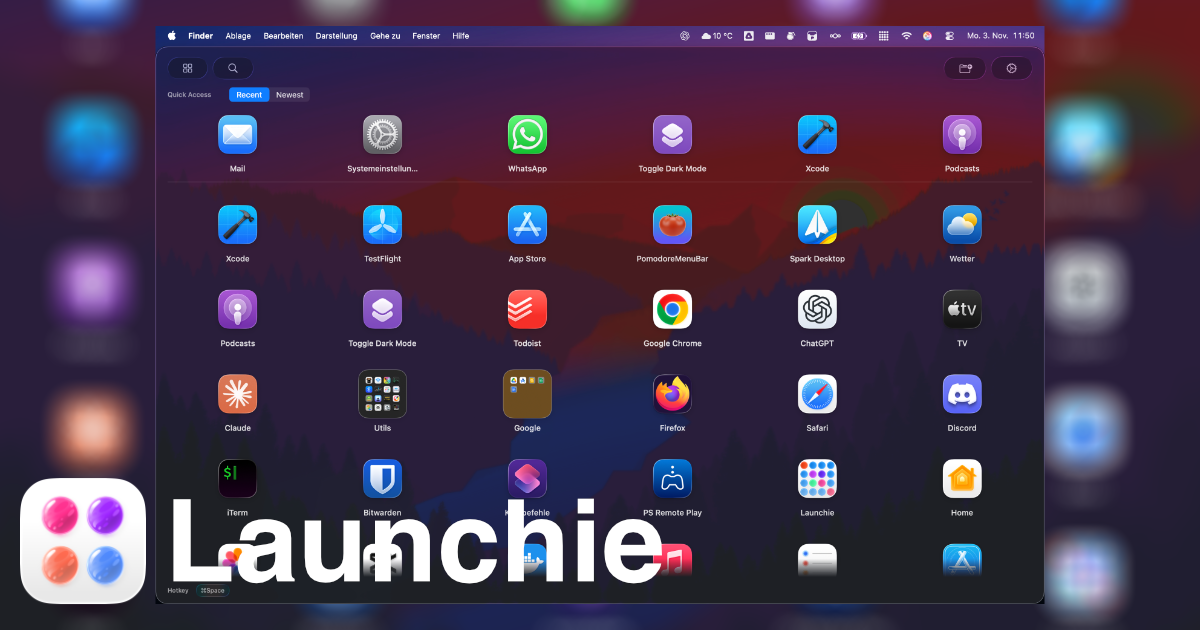
Launchie, by contrast, keeps everything in a single vertically scrolling view. There’s no paging animation to wait on, and the search + quick-access row surfaces what you need before you ever start scrolling. In testing with ~750 apps installed, Launchie remained smoother than AppHub after the initial index completed.
Organization and Cleanup
AppHub relies on press-and-hold wiggling, just like Launchpad. To hide an app, you enter edit mode and click the little x. To move between pages, you drag and hope you don’t accidentally create a folder you didn’t want. Spacer icons help, but they’re still time-consuming.
Launchie makes organization a one-click job:
- Context menu moves – Send any app straight into a folder or to a specific position without entering an edit mode.
- Drag & drop in both list and grid layouts – Switching between visual styles never breaks your muscle memory.
- Quick filters – Toggle between recent, frequent, and newly added apps at the top of the window to spot clutter fast.
- Folder flexibility – Create as many folders as you need (Pro) and rename them without modal dialogs.
Instead of babysitting the grid, Launchie lets you tidy up in seconds and return to work.
Activation Options
Both apps support keyboard shortcuts and dock/menu bar icons. AppHub is one of the few alternatives that also offers hot-corner activation—but so does Launchie (Pro). Launchie pairs that with a vertical list option, meaning you can call up the launcher from an active corner and immediately see more apps without swiping between pages.
Customization Depth
AppHub’s customization centers on icon spacing and animations. Launchie layers aesthetic choices with actionable features:
- Theme presets (Glass, Sheet) and tunable transparency
- Adjustable icon and text sizing
- Option to disable the quick-access row for minimalists
- Backup and restore of your entire layout, so experimentation is safe
Because Launchie balances visuals with workflow improvements, each tweak actually impacts how quickly you find apps.
Pricing Snapshot
| Feature |
AppHub |
Launchie |
| Base price |
$12 USD |
Free |
| Active corner |
Included |
Pro |
| Quick-access ribbon |
– |
Included |
| Layout backup |
– |
Pro |
| Hot corner + keyboard + dock/menu |
Yes |
Yes |
AppHub’s one-time price looks affordable, but Launchie’s free tier already offers more functionality, and the €18 Pro unlock adds everything power users expect.
Why Launchie Wins
AppHub is a clever reinterpretation of Launchpad, yet it still feels like it’s trying to recreate 2010-era macOS. Launchie embraces the vertical scroll of Tahoe’s Apps view, maintains Launchpad’s folder clarity, and bolsters it with modern touches like quick filters, layout backups, and lightning-fast context actions. That combination yields a smoother, faster launcher that gets out of your way.
If you want more than spacer tiles, give Launchie a spin and see why Mac & i called it a “gelungene Mischung” of the old and new approaches.
 Launchie