Keep your layout when you switch: Launchie can import your folders and app order from the original Launchpad for free. Open the Getting Started guide or Settings → Backup. Importing replaces your current Launchie layout, so import first, then fine-tune. See the import guide.
AppGrid is often the default recommendation for anyone missing Launchpad in macOS 26 Tahoe. It imitates Apple’s grid view faithfully and even pulls in your historical Launchpad layout. But once you move beyond nostalgia, Launchie offers a more future-proof approach that makes organizing large app libraries significantly easier.
AppGrid unquestionably boots quickly and handles big libraries with respectable speed. The catch: it adds every newly installed app automatically and then expects you to clean up via a dedicated editing mode.
Launchie starts from the same auto-detected catalog yet feels lighter once everything is indexed. Its vertically scrolling interface avoids page-by-page redraws, so switching between folders or lists doesn’t stutter—even when you keep 700+ apps installed. For users who bounce between development tools, design suites, and games, that responsiveness is the difference between staying focused and wrestling with your launcher.
Everyday Organization
AppGrid sticks to the Launchpad formula: one editing mode, tap-and-hold to wiggle icons, and slow-motion drag-and-drop into folders. It works, but it is rigid. Even the handy manual add button lives behind a modal dialog.
Launchie treats organization like a first-class workflow:
- Context menus for everything – Move any app directly into a folder or to a specific position without toggling modes.
- Drag & drop with custom sort – Switch to “User Defined” sorting and reorder freely in either list or grid view.
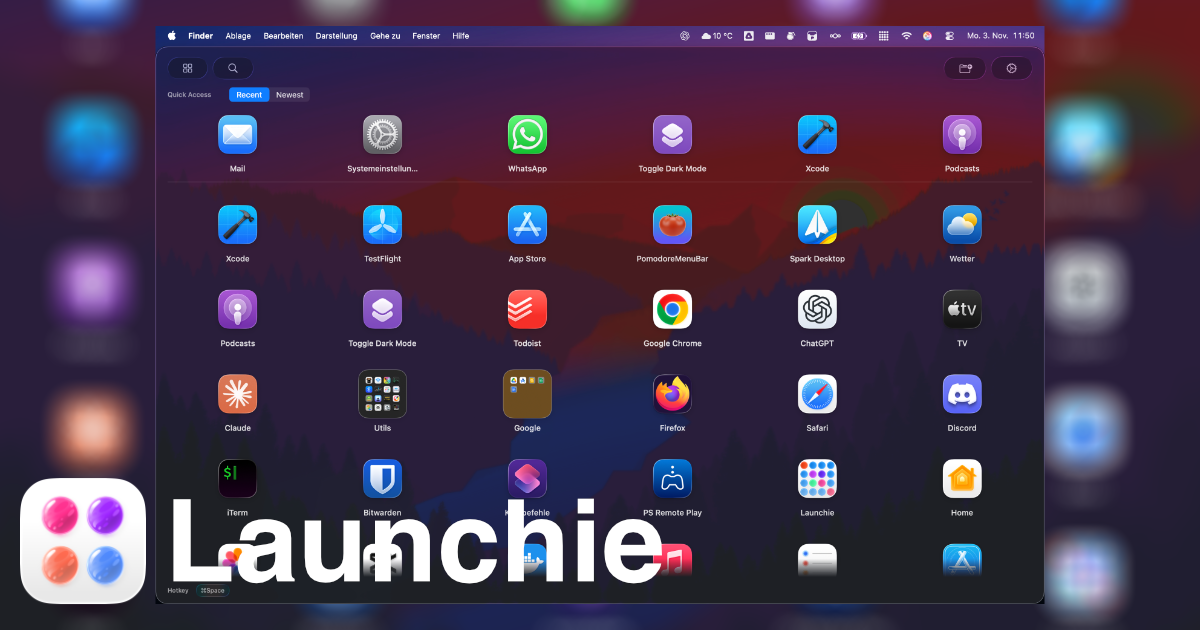
- Quick Access row – Pin most-used, recently opened, or newly installed apps above the main grid to eliminate hunting.
- Multiple folders – The Pro upgrade unlocks unlimited folders, so you can segment work, creativity, and personal spaces without compromises.
The end result is that Launchie behaves like a productivity tool, not a nostalgic replica.
Customization and Shortcuts
AppGrid requires its €50 Pro upgrade (or €2/month subscription) for multi-select, hiding apps, and more than a handful of cosmetic tweaks. Without paying, you’re effectively limited to Launchpad’s default experience.
Launchie’s €18 one-time Pro unlock covers the features that actually save time:
- Adjustable themes (Glass, Sheet, tint strength) and icon sizing
- More than one folder plus full layout backup/restore
- Hot corner activation alongside keyboard shortcuts and dock/menu bar toggles
- Ability to hide unused utilities without uninstalling them
Because Launchie shares the same hot-corner trigger as AppGrid but adds layout sync and recovery, it’s far easier to tweak aggressively without worrying about losing your setup.
Pricing and Value
| Feature |
AppGrid |
Launchie |
| Base price |
Free |
Free |
| Pro unlock |
€50 one-time or €2/month |
€18 one-time |
| Multi-select & hiding apps |
Pro only |
Pro |
| Active Screen Corner |
Included |
Pro |
| Layout backup |
Included |
Pro |
| Quick-access row |
– |
Included |
Launchie’s lower price tag would already be compelling, but coupling it with better usability makes the choice even clearer.
Verdict: Launchie Takes the Lead
If you just want the old Launchpad frozen in amber, AppGrid does the job. Yet most people want more than a museum piece. Launchie keeps the familiar grid and folder systems while adding a vertically scrolling view, quick filters, smarter context actions, and faster customization. For power users juggling hundreds of apps—and for anyone who wants their launcher to evolve with macOS—Launchie delivers the better daily experience.
Ready to upgrade your workflow? Download Launchie and see why modern Mac users are making the switch.
 Launchie